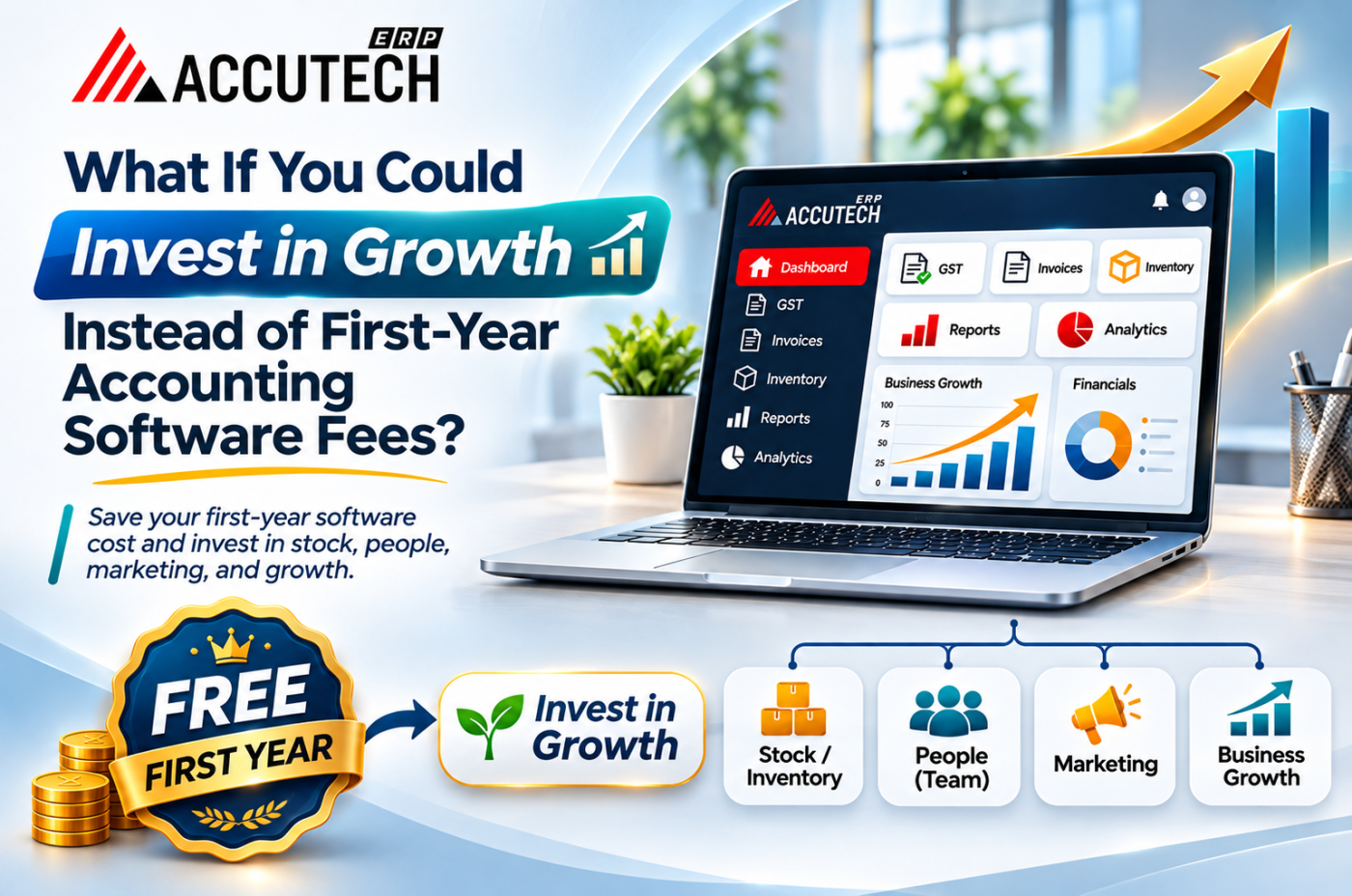
What If You Could Invest in Growth Instead of First-Year Accounting Software Fees?
Most business owners I speak to can tell you exactly what they spent on a new machine, a new hire or a marketing campaign last year. Ask them what they spent on accounting software in year one, including licences, setup, training, add-ons and the "small" customisation charges, and the answer gets vague.
That vagueness is expensive. Every rupee that disappears into first-year software fees is a rupee that cannot buy raw material, extend credit to a good customer, or pay for a second shift.
So here is the question worth asking: what if the first year of your accounting software cost you nothing, and that money went into growth instead?
That is not a hypothetical anymore. AccuTech ERP is currently offering its accounting software free for the first year. In this guide, I will show you how to judge any accounting platform properly, what a modern cloud ERP accounting system should actually do for you, and how to put the savings to work. Whether you run a trading firm, a distribution network or a factory, you will leave with a clear checklist.
Quick answer: The right accounting ERP should cover ledgers, inventory, GST, multi-branch reporting and audit trails in one system. If the first year is free, the money you save is best invested in stock, people, systems and customer acquisition, not in a second year of the same spreadsheet chaos.
The Hidden Cost of First-Year Accounting Software Fees
The price on the quotation is rarely the price you pay. Year one is where most of the hidden cost sits, because that is when you are buying not just a product, but a whole change in how your team works.
Here is what typically stacks up in the first twelve months:
- Licence or subscription fees for the core accounting module
- Implementation and data migration, moving old ledgers, party balances and opening stock
- Training time, which is salary cost even when the trainer is free
- Add-on modules for GST, inventory, multi-branch or reporting
- Customisation requests for invoice formats, voucher types and reports
- Parallel running, where you keep the old system alive "just in case"
Add these up and many small and mid-sized businesses find that year one costs far more than the headline subscription suggests.
The opportunity cost nobody calculates
The bigger loss is not the fee itself. It is what the fee could have done elsewhere. A business with tight working capital feels this immediately: a delayed raw material purchase, a missed bulk discount, or a hiring decision pushed back by a quarter.
Think of it this way. If your software budget for year one is the same as one month of a skilled operator's salary, you have effectively chosen between a system and a person. A free first year removes that trade-off, and lets you have both.
Why "free" still needs scrutiny
A free first year is only valuable if the software is genuinely complete. Before you sign up, confirm three things in writing: what is included in the free period, what the pricing looks like from month thirteen, and whether your data stays fully exportable. A good vendor answers all three without hesitation.
What Is an Advance Accounting ERP (and How Is It Different from Billing Software)?
Billing software creates invoices. An advance accounting ERP runs the financial backbone of the business.
The difference shows up the moment your business grows past one counter and one person. Suddenly you need to know who owes you money, which supplier is overdue, what your stock is worth today, and whether your GST return matches your books.
A proper advance accounting ERP connects all of this:
Capability | Basic billing tool | Advance accounting ERP |
|---|---|---|
Sales and purchase invoices | Yes | Yes, with orders, returns, debit/credit notes |
Ledgers and trial balance | Limited | Full account heads, balance sheet mapping |
Inventory and stock valuation | Basic | Product ledgers, HSN, rate lists, opening balances |
GST returns support | Manual exports | Integrated workflows and tax summaries |
Multi-branch / multi-entity | Rarely | Built in, with consolidated views |
Audit trail | Minimal | Complete user and transaction traceability |
Real-time reports | Static | Live, drill-down reports |
If you are still reconciling sales in one file, stock in another and GST in a third, you are already past the point where billing software is enough.
What Makes the Best Advance Accounting ERP Software?
Google the term and you will find a dozen lists, most of them ranking tools by brand recognition. A more useful approach is to rank them by fit. The best advance accounting ERP software for you is the one that matches how your business actually moves money and goods.
Use this checklist when you shortlist.
1. Flexible account structure
You should be able to create unlimited account heads, map them to balance sheet categories and generate statements without a chartered accountant rebuilding them every quarter.
2. Accurate transaction handling
Look for the full cycle: sale orders, sale invoices, sale returns, purchase orders, purchase invoices, purchase returns, proforma invoices and rate-difference credit or debit notes. Gaps here become manual workarounds later.
3. Product and tax mapping
Your item master should carry HSN codes, product groups, rate lists, specifications and opening stock. Wrong HSN data is one of the commonest causes of GST mismatches.
4. Real-time reporting
You need live sale and purchase summaries, party-wise reports, outstanding ageing, account ledgers and stock summaries. If a report takes a day to compile, it is not real-time.
5. GST readiness
The system should prepare monthly tax summaries, support return workflows and give invoice-level visibility for audits.
6. Multi-entity and multi-branch control
Separate books per entity, with a consolidated view for the owner.
7. Audit trail and security
Role-based access, encryption and a record of who changed what and when.
8. Ease of configuration
Your team should be able to set up masters and books without weeks of consulting.
Key takeaway: Features matter, but fit matters more. A tool with 200 features you never use loses to one with 40 features that map exactly to your daily work.
Why a Cloud ERP Accounting System Suits Indian Businesses
Desktop accounting software had a long run, and many businesses still rely on it. But the way Indian companies operate has changed. Owners travel. Accountants work from different cities. Auditors want access without visiting the office. A cloud ERP accounting system fits this reality better.
Benefits that matter in practice
- Access from anywhere. Check receivables from a client's office or approve a voucher from home.
- No server headaches. No in-house hardware, no manual backups, no worrying about a failed hard disk.
- Automatic updates. GST rules change often. Cloud software can update centrally, so your team is not downloading patches.
- Easier collaboration. Accounts, sales, stores and the CA can all see the same live data.
- Scales with you. Adding a branch or a user does not mean buying a new machine.
What to check before going cloud
Cloud is not automatically better. Ask about data encryption, user-level permissions, backup frequency, uptime, and how you can export your complete data if you ever leave. These questions separate serious vendors from the rest.
A practical point for smaller teams: a cloud ERP accounting system with a free first year lets you test real workflows, with real data and real staff, before you commit a single rupee. That is a far better evaluation than a 30-minute demo.
Best ERP for Small Manufacturing Business in India: What to Look For
Manufacturers have a different accounting problem from traders. You are not just buying and selling. You are buying raw material, converting it, packing it, holding it, and selling it at a margin that is easy to lose in the middle.
If you are searching for the best ERP for small manufacturing business in India, here is what really separates a good fit from a poor one.
Inventory that talks to accounts
Stock valuation should flow into your books automatically. If your store team updates one system and your accountant updates another, your profit figure is a guess.
Packing material tracking
Many small manufacturers, especially in pharma, food and FMCG, lose track of packing material. Look for separate packing stock summaries and packing-linked inventory records.
Product master depth
You need product types, groups, specifications, manufacturer records and rate lists. This is what keeps pricing consistent across customers and branches.
Party-wise and item-wise analysis
Knowing which customer buys which product, at what rate, and how fast they pay, drives smarter credit decisions.
Reorder visibility
A reorder purchase order feature helps you avoid stock-outs on critical inputs without over-buying.
GST-ready purchase and sale flow
Input tax credit is real money for a manufacturer. Systems that track it cleanly protect your margin.
A simple comparison for manufacturers
What you need | Why it matters | What to ask the vendor |
|---|---|---|
Product and packing stock tracking | Prevents shrinkage and hidden losses | Can packing material be tracked separately? |
Party item-wise sale and purchase reports | Shows real customer and supplier profitability | Can I filter by party and by product together? |
HSN summary and bill-wise HSN detail | Keeps GST filings clean | Is HSN captured at item level? |
Opening balance for stock and accounts | Smooth migration from old system | How is opening stock imported? |
Multi-branch consolidation | Useful as you add a depot or unit | Are books separate with a consolidated view? |
For industry-specific needs, such as pharma PCD, bulk drug trading or FMCG distribution, you can see how Accutech structures its modules on the Advance Accounting ERP page.
GST Compliance: Where Automation Pays for Itself
If there is one area where accounting software earns its keep, it is GST. The rules are detailed, the deadlines are fixed, and errors cost money through notices, interest and blocked credit.
Where manual GST goes wrong
- Sales invoices with the wrong HSN code or tax rate
- Purchase entries missing from books but present in a supplier's return
- Input tax credit claimed without matching supplier-reported data
- Month-end rush, where one person compiles everything in a day
The GST portal publishes an auto-drafted input tax credit statement (GSTR-2B), and your books should be reconciled against it before you file GSTR-3B. You can read the official process on the GST portal.
What a good system does
- Calculates tax automatically on every sale, purchase and return
- Maintains HSN-wise summaries for return preparation
- Shows monthly and yearly tax summaries in one view
- Highlights invoice-level data so mismatches are caught before filing
- Keeps a record of every change for audit support
The time saved is not just about speed. It is about confidence. When your numbers are clean through the month, filing becomes a review task rather than a scramble.
A Practical Plan: Where Your First-Year Savings Should Go
Now to the heart of the topic. If the first year of your accounting software costs nothing, what should you do with the money?
Here is an illustrative example. Say a small manufacturer would normally budget a certain amount for accounting software, setup and add-ons in year one. With a free first year, that amount is released. Rather than letting it vanish into general expenses, treat it as a growth fund and decide its job in advance.
Four smart ways to deploy the savings
- Working capital for inventory Buying raw material in larger lots often earns a better rate. If your ERP shows reorder levels and stock movement clearly, you can buy with confidence instead of guessing.
- A skilled accounts or operations hire Software removes repetitive entry work. Use the saved budget to hire or train someone who can analyse reports, not just key in vouchers.
- Sales and distribution expansion Party-wise sales data shows which customers and regions are profitable. Put money behind those, whether that means a new distributor, a sales executive or a trade scheme.
- Process upgrades Better packing, quality checks or a second production line may deliver more than any marketing spend.
A simple growth-fund rule
Bucket | Suggested share of released budget | Purpose |
|---|---|---|
Inventory and raw material | 40% | Better rates, fewer stock-outs |
People and training | 25% | Analysis, not data entry |
Sales and distribution | 25% | Grow the profitable customers |
Reserve | 10% | Cushion for the unexpected |
These percentages are a starting point, not a rule. Adjust them to your business, but do assign them. Money without a job tends to disappear.
Step-by-Step: How to Evaluate and Switch Without Disruption
Changing accounting systems feels risky. It does not have to be. Follow this sequence.
- List your pain points. Which reports take too long? Where do GST mismatches appear? Where does stock disagree with books?
- Map your must-have features. Use the checklist above and mark what is essential versus nice to have.
- Request a demo with your own scenarios. Ask the vendor to show a sale return, a rate-difference note and a GST summary, not a canned walkthrough.
- Clarify the free-year terms. Get inclusions, limits and month-thirteen pricing in writing.
- Prepare your data. Clean party masters, product masters, HSN codes and closing balances before migration.
- Start at a clean cut-off. The beginning of a month or financial quarter makes reconciliation easier.
- Train two people, not one. Never let the whole system depend on a single user.
- Run a first-month review. Compare key reports with your old numbers and fix gaps early.
Common Mistakes to Avoid
Choosing on price alone. A cheap tool that cannot handle your workflows costs more in rework than a fuller system would.
Ignoring the exit. Always confirm you can export complete data in usable formats.
Skipping data cleanup. Migrating messy masters just creates a messy new system.
Overbuying features. Many people hunting for the best ERP for small manufacturing business in India end up paying for modules they never turn on. Start with accounting and inventory, then expand.
Neglecting training. The best software underperforms when only one person knows how to use it.
Letting the savings vanish. A free first year is only an advantage if the released money is deliberately invested.
Expert Tips from the Finance Desk
- Reconcile weekly, not monthly. Small mismatches are easy to fix; month-end piles are not.
- Review outstanding ageing every Monday and call the top five overdue parties.
- Keep HSN codes and tax rates updated in the product master as soon as rules change.
- Give your CA read access to live reports so queries do not wait for a file transfer.
- Use role-based permissions. Not everyone needs to edit vouchers.
How Accutech ERP Fits In
Accutech ERP's advance accounting module is built around the workflows described above. It covers accounts management with unlimited hierarchy levels, product management with HSN and rate lists, full sale and purchase transaction handling, live financial and stock reports, GST-focused summaries and standard account books such as cash book, bank book, day book, trial balance, profit and loss and balance sheet.
For teams comparing options, here is how the module maps to the checklist:
Checklist item | Accutech ERP coverage |
|---|---|
Flexible accounts | Account heads, BS head mapping and settings |
Product and tax mapping | Product, type, group, rate list, HSN, specification, manufacturer, opening balance, packing |
Transactions | Sale and purchase orders, invoices, returns, proforma, reorder PO, CR/DR notes, vouchers |
Reports | Sale and purchase summaries, party item-wise reports, HSN summary, ledgers, stock and outstanding |
GST | Workflow support, return visibility, invoice-level audit support, monthly and yearly tax summary |
Multi-entity | Multi-branch and multi-entity support |
Audit | Complete audit trail |
And right now, the first year of the accounting software is free. If you are weighing the best advance accounting ERP software options for your business, that is a low-risk way to test the system with live data.
Frequently Asked Questions
1. What is advance accounting ERP software?
It is an integrated system that manages ledgers, transactions, inventory, GST and financial reporting in one place. Unlike basic billing tools, it connects accounts with stock, taxes and multi-branch operations, and gives real-time reports.
2. Which is the best ERP for small manufacturing business in India?
The best choice depends on your workflow, but look for inventory-linked accounting, packing material tracking, HSN-ready product masters, GST workflows, party-wise reports and scalability. Test any shortlisted tool with your own data before committing.
3. Is a cloud ERP accounting system safe for financial data?
A reputable cloud ERP accounting system uses encryption, role-based access, regular backups and audit trails. Ask the vendor about security practices and data export options before you sign up.
4. How does accounting ERP help with GST compliance?
It calculates tax on each transaction, maintains HSN summaries, shows monthly tax summaries and helps you spot mismatches before filing, which reduces errors and last-minute stress.
5. Can one ERP handle multiple branches or entities?
Yes, a good accounting ERP supports separate books per branch or entity along with consolidated reporting, which suits growing businesses.
6. What is the difference between accounting software and an ERP?
Accounting software focuses on financial records. An ERP connects accounting with inventory, sales, purchases and compliance, so data flows without duplicate entry.
7. Is a free first year really worth it?
Yes, if the software is complete and the terms are clear. It lets you test real workflows without upfront cost and redirect the budget to growth. Always confirm month-thirteen pricing and data export rights.
8. How long does it take to switch accounting software?
A small business with clean data can often move within a few weeks. The timeline depends on data quality, the number of masters, and how well your team is trained.
9. What reports should I check every week?
Review party outstanding ageing, supplier payables, stock summary, sale and purchase summaries and the cash and bank books. These show cash flow and risk quickly.
Conclusion
Year one is when most businesses are most vulnerable to software costs, and also when the right system can do the most good. A free first year changes the maths: you get a working accounting backbone and keep your cash for what actually grows the business.
Choose on fit, not fame. Look for strong GST workflows, inventory-linked accounting, multi-branch control and live reporting. If you run a factory, use the manufacturing checklist above to find the best ERP for small manufacturing business in India for your product line. And if you are comparing platforms, a cloud ERP accounting system you can try with real data for twelve months is hard to beat.
Ready to put your first-year savings to work? Take a look at Accutech ERP's Advance Accounting ERP, request a demo, and see how the best advance accounting ERP software can fit your business.