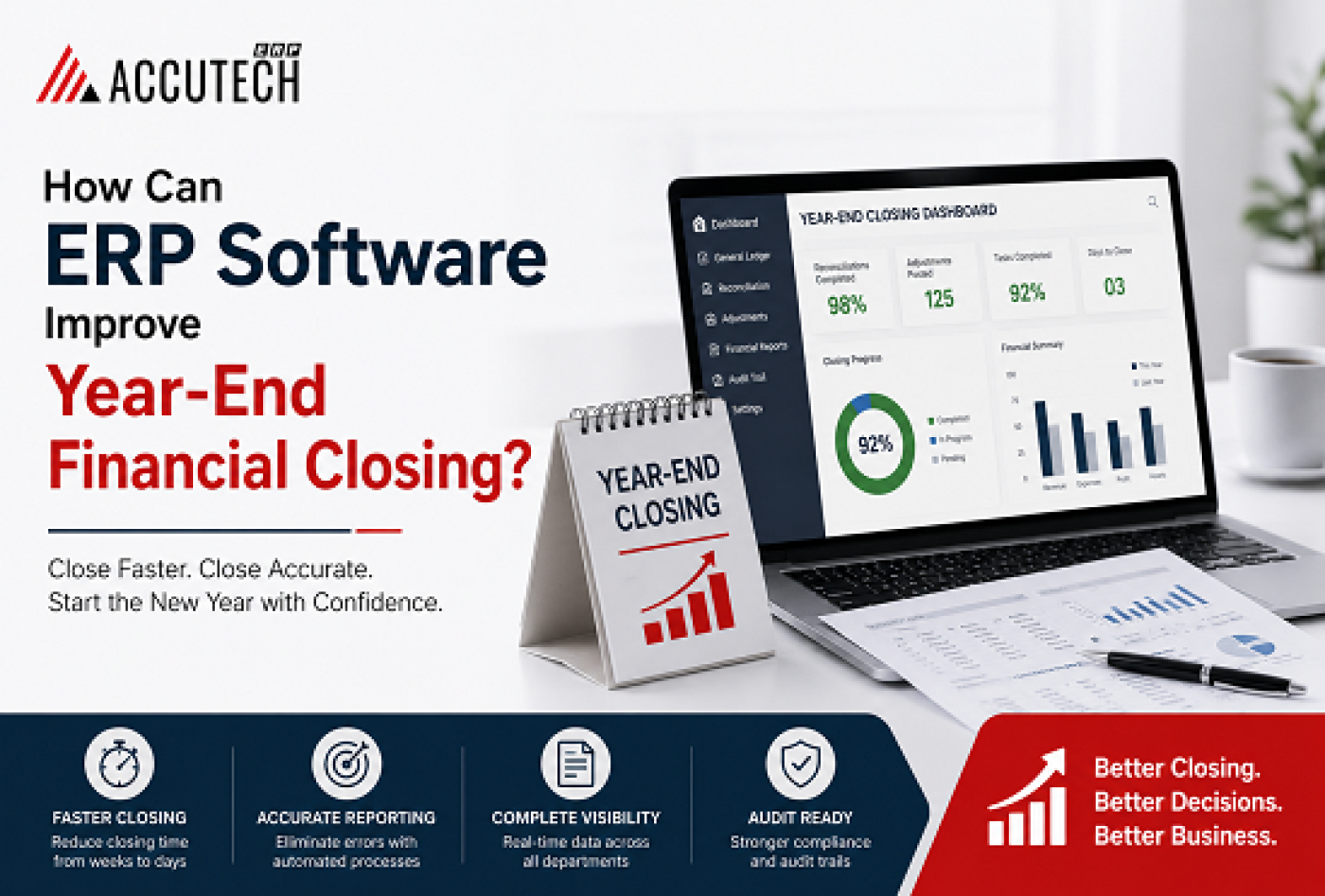
For most finance teams, year-end is the most stressful period of the calendar year. It's when companies must reconcile all accounts, prepare comprehensive financial statements, ensure tax compliance, and lock down numbers for the entire fiscal year. The stakes are incredibly high and accuracy directly impacts regulatory compliance, tax filings, and stakeholder confidence.
The challenge? Most organizations still rely on outdated systems and manual processes. Finance teams manually transfer data between spreadsheets, perform reconciliations by hand, and compile financial statements piece by piece. What should take days stretches into weeks, consuming hundreds of hours and creating significant risk of errors.
This is where modern ERP solutions make all the difference. By automating the entire financial closing process, organizations eliminate manual errors, accelerate timelines dramatically, and provide real-time visibility into their financial position. Whether you operate a mid-sized distributor, manufacturing facility, or multi-location enterprise, the right accounting software can reduce your year-end close from weeks to just days.
In this guide, we'll explore how technology transforms your financial closing process, what capabilities matter most, and how to select the right solution for your unique business needs.
Understanding Year-end Financial Closing: What's at Stake?
The Year-End Close is Not Just an Accounting Task
Year-end financial closing is a comprehensive process that ensures your company's records are accurate, complete, and ready for external reporting, tax filing, and stakeholder communication. It involves multiple interconnected steps that build upon each other.
The process typically includes: data consolidation from all departments and locations, account reconciliation against bank statements and external sources, recording accruals and period-end adjustments, generating financial statements (balance sheet, income statement, cash flow), calculating tax liabilities, and organizing documentation for audit purposes.
Why Manual Processes Are No Longer Viable
Without proper systems, year-end closing becomes exponentially more complex. Finance teams typically face cascading problems: manual data entry introduces transcription mistakes that propagate through financial statements; waiting for information from different departments creates bottlenecks; multiple spreadsheet versions create confusion about which numbers are current; and incomplete documentation makes audit trails unclear.
The consequences can be severe. Missed compliance deadlines result in penalties. Inaccurate financial statements mislead stakeholders and regulators. Incomplete audit trails invite auditor scrutiny and potential adjustments. What should be a controlled process becomes a reactive scramble in the final weeks of December.
The Business Impact of Timely, Accurate Financial Closing
Accurate, timely financial statements enable critical business functions. Banks need accurate numbers to approve credit facilities. Investors require verified financial information to make capital decisions. Regulators demand compliance documentation and tax returns. Management cannot set budgets or make strategic investments without understanding the true financial position.
When year-end closing drags out, these essential business functions are delayed, creating a cascade of downstream problems. Companies miss budget planning windows. Tax optimization opportunities are lost. Strategic decisions are deferred. Teams are exhausted rather than energized for the new year ahead.
How ERP Software Transforms Financial Closing
What Makes ERP Different from Traditional Accounting Software
ERP (Enterprise Resource Planning) software integrates all departments and functions into a single unified database. Unlike standalone accounting tools that handle only invoices and general ledger entries, comprehensive ERP solutions automatically capture data from sales, inventory, procurement, human resources, and accounting in real-time.
The fundamental difference is automation. Traditional accounting requires manual data entry transactions are recorded one by one or in batches. An integrated ERP system eliminates this manual step entirely. When a sales invoice is created, it automatically generates accounting entries. When inventory is received, purchase obligations are recorded. When customers pay, cash is automatically applied. This eliminates the primary source of closing errors.
The Transformation: From Crisis to Control
When you implement best advance accounting ERP software, your year-end closing transforms from a chaotic sprint into a controlled, systematic process. Here's the shift that occurs:
Real-Time Visibility: Instead of compiling reports from different sources, all financial data feeds automatically into a central system. Your accounting team can see your financial position at any moment, not just at period-end.
Automated Reconciliation: The system automatically matches bank statements, customer payments, and supplier invoices. What traditionally takes days of manual comparison happens in minutes with zero errors.
Intelligent Adjustments: Software uses rules and templates to automatically suggest recurring period-end entries like depreciation, accruals, and tax provisions. Finance teams review and approve rather than manually entering each line item.
Consolidated Reporting: For multi-location or multi-entity businesses, the system instantly consolidates results across all entities, automatically eliminating intercompany transactions and preparing unified statements.
Complete Audit Trail: Every transaction is automatically logged with timestamps and user information. This creates an inherent audit trail meeting regulatory requirements and dramatically simplifying audit processes.
Critical Features You Need in Accounting Software
Not all accounting systems are created equal. When evaluating solutions, focus on these essential capabilities:
Automated Tax Compliance (Especially Important for India)
For businesses in India, tax compliance is non-negotiable. The best accounting software in india must include automated GST workflows that calculate correct tax amounts, prepare returns automatically, track input tax credits, and prevent compliance errors. Modern solutions handle GSTR-1, GSTR-2, and GSTR-3B filing with minimal manual intervention.
Real-Time Financial Reporting
Look for systems that provide instant access to comprehensive reports without manual compilation. This includes account ledgers with complete transaction history, profit & loss statements, balance sheets, cash flow statements, outstanding analysis showing aged receivables and payables, and variance analysis comparing period-over-period results.
Multi-Entity and Multi-Currency Support
Growing businesses often have multiple locations or subsidiaries. The best accounting software in India seamlessly handles separate books for each entity with unified control, automatic consolidation with intercompany elimination, and support for multiple currencies. This capability ensures you scale without system changes.
Automated Journal Entry Processing
Powerful systems automate recurring period-end adjustments including depreciation and amortization calculations, accruals for anticipated expenses, provisions for contingent liabilities, and pre-tax adjustments. This capability eliminates the most time-consuming manual aspect of closing.
Enterprise-Grade Security and Audit Capabilities
ERP accounting software in India must provide comprehensive audit logs tracking all access and modifications, role-based access controls restricting permissions, data encryption both in transit and at rest, and automated backup capabilities. These security features protect your financial data while meeting regulatory requirements.
Step-by-step Year-end Closing Workflow
A systematic approach ensures accuracy and efficiency throughout the closing process. Here's how to approach year-end closing with proper systems:
Stage 1: Pre-Close Planning (2-3 weeks before year-end)
Before diving into the close, prepare your organization comprehensively. Verify that all transactions for the year have been recorded in your system. Identify any unrecorded items like vendor invoices or accrued expenses. Run preliminary reports to identify anomalies or missing data. Establish a detailed close schedule and assign clear responsibilities to team members.
Stage 2: Data Validation and Account Verification (1-2 weeks before year-end)
Use your accounting system to validate data integrity thoroughly. Run trial balance reports ensuring debits equal credits. Verify that all accounts have been properly classified and mapped. Reconcile all balance sheet accounts with supporting documentation. Correct any errors identified before proceeding to year-end adjustments.
Stage 3: Reconciliation Phase (1 week before year-end)
Use automated reconciliation features to streamline this critical process. Match bank statements with internal records using automated bank feeds. Verify customer balances against customer-provided statements. Confirm vendor balances against vendor statements. Ensure book inventory values match physical counts.
Stage 4: Period-End Adjustments (Final week)
Record all necessary year-end adjustments systematically. Process accrued expenses for invoices received but not yet recorded. Adjust deferred revenues for amounts received in advance. Post monthly depreciation and amortization entries automatically. Adjust bad debt allowances. Record estimated tax liabilities.
Stage 5: Financial Statement Generation
Your system generates all required financial statements automatically: the balance sheet showing financial position at year-end, the income statement showing profit and loss for the period, the cash flow statement showing sources and uses of cash, and detailed notes to financial statements.
Stage 6: Review and Formal Approval
Before finalizing, ensure proper oversight and approval. Have finance leadership review all statements and adjustments for completeness and accuracy. Resolve any questions or inconsistencies identified. Use your system's electronic approval workflow to ensure proper authorization and create an audit trail.
Stage 7: Compliance Filing and Archiving
Complete the close with proper documentation and filing. Submit all required tax returns and regulatory filings using data directly from your system. Archive all supporting documentation for audit purposes. Lock the accounting period to prevent accidental changes. Generate a formal closing summary for management records.
Real-World Benefits and ROI
Organizations implementing modern ERP solutions experience transformational benefits:
Dramatically Reduced Closing Time
Traditional manual processes consume 15-20+ working days. Modern systems reduce this to 3-5 days by eliminating manual data entry, automating reconciliations, and providing instant financial statements. Some large enterprises report reducing year-end close from 10+ weeks to just 2-3 weeks.
Significantly Improved Accuracy
With automated calculations and data consolidation, human error decreases dramatically. The system validates data integrity, flags inconsistencies, and maintains consistency across all modules. This means fewer audit adjustments and stronger stakeholder confidence.
Enhanced Compliance and Audit Readiness
Modern systems maintain complete audit trails, automate compliance workflows, and generate audit-ready documentation. When auditors arrive, comprehensive records are available at your fingertips rather than scattered across spreadsheets.
Real-Time Financial Visibility
Stop waiting until year-end to understand your financial position. Modern systems provide continuous reporting so management knows exactly where the business stands at any moment enabling better decision-making throughout the year.
Scalability for Growing Businesses
Whether you're adding locations, entering new markets, or acquiring other companies, modern systems handle increased complexity without proportionally increasing effort. This scalability allows finance teams to focus on strategy rather than manual processes.
Choosing the Right Solution for Your Business
India presents unique accounting and compliance challenges requiring specialized software. Here's why modern ERP solutions are essential:
GST Complexity and Compliance Requirements
India's GST system is intricate with different rates for different products, unique rules for interstate transactions, and mandatory monthly return filing. The best accounting software in India automates these complexities, ensuring compliance while minimizing manual work.
Multi-Tier Supply Chain Management
Indian businesses often operate through complex distribution channels with multiple intermediaries. Modern systems handle this complexity by integrating inventory, accounts receivable, and accounts payable across the entire supply chain seamlessly.
Comprehensive Regulatory Compliance
Beyond GST, Indian businesses must comply with income tax, TDS, TCS, and various industry-specific regulations. ERP accounting software in india updates automatically to reflect regulatory changes, ensuring businesses stay compliant without constant manual intervention.
Localization and Practical Usability
Solutions developed with Indian accounting practices and business models in mind naturally align with how your business operates, reducing implementation complexity and adoption resistance.
Common Pitfalls and How to Avoid Them
Many organizations struggle with year-end closing by repeating the same mistakes. Here's how modern systems prevent these issues:
Problem #1: Incomplete and Scattered Data
Manual Approach: Accountants miss transactions because data is scattered across multiple sources and spreadsheets.
Modern Solution: Best advance accounting ERP software automatically captures all transactions from creation. Sales invoices generate automatic entries. Purchase orders trigger payment obligations. Expenses are recorded when incurred, not gathered at year-end.
Problem #2: Time-Consuming Manual Reconciliations
Manual Approach: Accountants manually match bank statements line-by-line against ledger entries a process consuming days and often uncovering errors requiring investigation.
Modern Solution: Automated bank reconciliation using bank feeds matches transactions instantly, flags outstanding items, and completes reconciliation in minutes rather than days.
Problem #3: Tax Compliance Errors
Manual Approach: Calculating correct tax on each transaction and tracking credits across hundreds of invoices is error-prone and time-consuming.
Modern Solution: ERP accounting software in india automatically calculates tax on each transaction based on classification and type. GSTR returns generate automatically, reducing filing errors dramatically.
Problem #4: Missing Accruals and Adjustments
Manual Approach: In year-end rush, accountants forget invoices received after month-end or overlook accrued expenses, distorting financial statements.
Modern Solution: Rules-based engines identify required accruals and suggest adjustments automatically. Finance teams review and approve rather than manually hunting for missing items.
Problem #5: Inadequate Documentation and Audit Trails
Manual Approach: Manual spreadsheet systems lack record of who made what change when.
Modern Solution: Systems maintain comprehensive audit logs. Every transaction is timestamped and attributed. Auditors get complete answers to any questions about data.
Frequently Asked Questions
Q1: How much time can we actually save by switching to ERP software?
Organizations typically reduce year-end closing from 15-20 working days to 3-5 days. Additional savings come from eliminated manual reconciliations, automated financial statements, and streamlined tax compliance. Over a year, this translates to hundreds of hours of saved labor.
Q2: Will implementing new accounting software disrupt our daily operations?
Modern implementations are designed to minimize disruption. Cloud-based solutions typically run parallel with existing systems initially, allowing gradual data migration. Implementation consultants guide the transition, and training ensures team competency before going live. Most organizations transition smoothly within 4-8 weeks.
Q3: Is our financial data secure with cloud-based accounting software?
Enterprise-grade cloud systems implement bank-level security with data encryption, multi-factor authentication, regular audits, and automatic backups. For most organizations, cloud security exceeds what they could achieve with on-premise systems.
Q4: How does software keep up with tax regulation changes?
Reputable vendors continuously monitor regulation changes and push updates to all clients automatically. Your software never becomes non-compliant due to rate changes or new rules.
Q5: Can the system integrate with our existing business tools?
Most modern systems offer extensive integration capabilities. Whether you use CRM software, e-commerce platforms, or specialized industry tools, integration can happen through APIs or pre-built connectors, ensuring data flows seamlessly.
Q6: How is multi-location consolidation handled automatically?
Systems maintain separate general ledgers for each location while allowing instant consolidation. Intercompany transactions are automatically eliminated, and consolidated financial statements can be generated at any time.
Q7: What's the typical return on investment timeline?
Most organizations see measurable ROI within 6-12 months through reduced labor, fewer errors, and faster closing cycles. Time savings alone typically offset software costs, with additional benefits providing ongoing value.
Q8: How does the system support audit requirements?
Audit requirements are built in from the ground up. Complete audit trails, segregation of duties, approval workflows, and audit-ready reporting mean you're always prepared for both internal and external audits.
Q9: Can we customize the software for our specific business needs?
Most solutions offer configurable fields, custom reports, and automation rules allowing customization without heavy coding. Implementation partners can make more extensive customizations if needed.
Q10: How long does implementation take for a mid-size organization?
Implementation timelines vary based on complexity, but typical mid-size businesses go live in 8-16 weeks including discovery, configuration, data migration, testing, training, and go-live support. Accelerated implementations are possible for simpler requirements.
Conclusion:
Year-end financial closing doesn't have to be a nightmare. Organizations that embrace modern ERP solutions can transform what was once their most stressful period into a streamlined and manageable process. These systems help reduce manual errors, accelerate closing timelines, improve regulatory compliance, and provide the financial visibility businesses need to make informed decisions.
Whether you're a mid-sized distributor, manufacturing operation, or multi-location retailer, Accutech ERP offers advanced accounting and ERP capabilities designed to support growing business needs. With automation, real-time reporting, accurate reconciliation, and better financial control, Accutech ERP helps finance teams manage year-end closing more efficiently.
Businesses that continue to rely heavily on spreadsheets and disconnected systems may struggle with delays, errors, and limited financial visibility. By choosing Accutech ERP, organizations can simplify accounting processes, improve accuracy, and make year-end financial closing faster and more organized.
If your current year-end closing process takes weeks, compliance is becoming difficult, or your finance team struggles to deliver timely financial information, Accutech ERP can help you move toward a smarter, faster, and more reliable financial closing process.