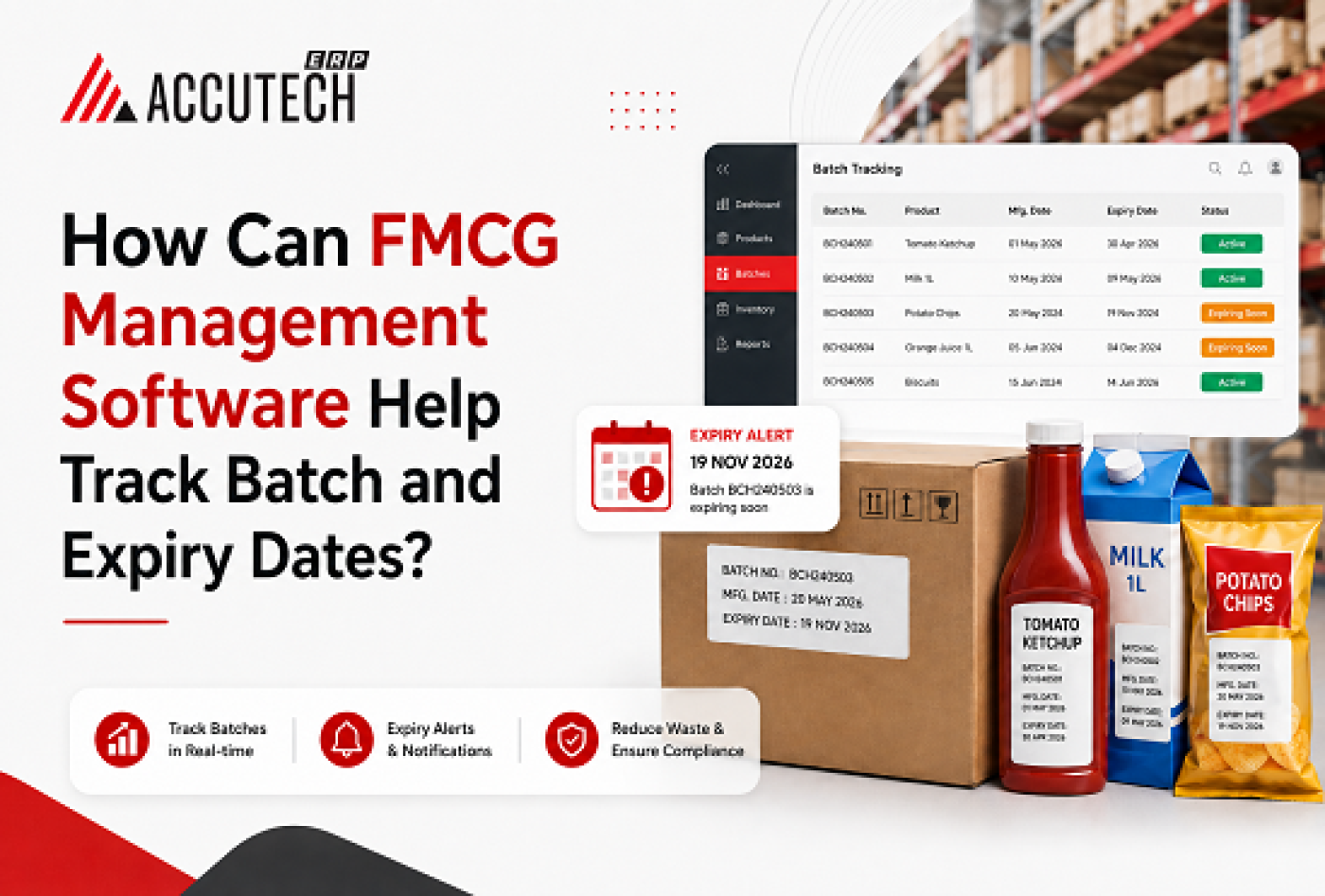
Picture this: It's 2 AM on a Tuesday morning at Rajesh Kumar's distribution warehouse in Mumbai. His team has just discovered that three entire pallets of premium imported cereal have expired worth approximately ₹2,50,000. That's money gone. Wasted. But here's the frustrating part: Rajesh didn't even know these products were still in his warehouse.
This scenario plays out hundreds of times every week across India's FMCG sector. Distributors lose anywhere from 2-8% of their inventory to expiry-related wastage, spoilage, and compliance penalties. For small to medium businesses, this can mean the difference between profit and loss.
But what if there was a way to eliminate this entirely? What if every single product in your warehouse was tracked, monitored, and accounted for automatically? What if you could prevent expiry before it happens?
This is where FMCG management software comes in. More specifically, modern FMCG distribution ERP software equipped with intelligent batch and expiry tracking capabilities is transforming how distributors operate. It's not just about preventing loss anymore, it's about gaining complete visibility, automating your operations, and becoming a leaner, smarter, more profitable business.
In this comprehensive guide, we'll explore exactly how FMCG management software revolutionizes batch and expiry date management, why it matters more than ever in 2026, and how you can implement these solutions to transform your distribution business.
Understanding the Real Cost of Manual Batch Management
Before we dive into solutions, let's understand the actual problem affecting thousands of FMCG distributors right now.
The Manual Tracking Nightmare
Imagine managing inventory with spreadsheets, notebooks, and manual counting. Most FMCG distributors, especially mid-sized operations, still rely on this approach. Here's what actually happens in the real world:
•A warehouse manager physically counts products and notes batch numbers by hand
• This data is entered into Excel sheets (often with errors)
• Different team members maintain different records
• When stock transfers happen, batches often get mixed or misclassified
• Expiry information is tracked in multiple places, if tracked at all
• Management reports are compiled manually, taking days or weeks
• By the time you know there's an expiry problem, it's already too late
Priya Malhotra, a distributor from Bangalore, described her experience: "We had a system where each salesman would write down deliveries in their notebook. Then our accountant would try to reconcile everything at the end of the month. We'd discover missing batches, products that expired months ago, and duplicate entries. It was completely chaotic."
The Real Financial Impact
Let's break down what poor batch and expiry tracking actually costs your business:
1. Direct Loss from Expired Stock: Average FMCG distributors lose 3-5% of inventory to expiry. For a business turning over ₹50 lakhs monthly, that's ₹1.5-2.5 lakhs annually.
2. Regulatory Fines: When expired products are discovered in shipment or at retail, retailers impose penalties. Retailers can charge 10-50% of invoice value for expiry incidents.
3. Reputational Damage: One expiry incident at a major retail chain can result in loss of business from that customer entirely.
4. Operational Inefficiency: Manual batch management requires 2-3 dedicated staff members working several hours weekly. That's real payroll cost.
5. Compliance Risks: Most states now have strict regulations about selling expired goods. Non-compliance can result in license suspension.
"After implementing proper batch tracking, one of my clients reduced expiry losses from 4.2% to 0.3%. That translated to saving ₹8 lakhs annually on a business that was doing ₹3 crores in turnover," explains Amit Shandilya, an FMCG business consultant.
What Exactly Is FMCG Distribution ERP Software?
Before we discuss how FMCG management software tracks batches and expiry dates, let's clarify what we're talking about.
FMCG ERP software (Enterprise Resource Planning) is a specialized business management system designed specifically for the unique needs of Fast-Moving Consumer Goods distributors. Unlike generic inventory software, FMCG distribution ERP software is built with:
• Multi-level distribution management (warehouse to retailers to consumers)
• Complex batch and serial number tracking capabilities
• Real-time inventory visibility across multiple locations
• Automated compliance and regulatory reporting
• Integration with point-of-sale systems at retail outlets
• Support for complex pricing and promotional schemes
• Route optimization and field sales management
• Batch-level profitability analysis
Think of FMCG distribution business software as the nervous system of your distribution operation. Every transaction, every movement, every piece of inventory flows through this system, creating real-time visibility and automated controls.
How FMCG Management Software Tracks Batch and Expiry Dates: The Technical Reality
Now we get to the heart of the matter. How exactly does this software work?
Step 1: Batch Registration and Data Capture
When new stock arrives at your warehouse, the first step is batch registration. Here's how FMCG erp software handles this:
The warehouse team scans the product barcode and batch number using a mobile device or scanner connected to the software. The system automatically captures:
• Product details (name, SKU, category)
• Batch number or serial number
• Manufacturing date
• Expiry date (automatically parsed from the packaging)
• Quantity received
• Location in the warehouse
• Supplier information
• Cost and current market rate
This data is instantly recorded in the system. Unlike manual entry, there's no room for transcription errors or missed information.
Step 2: Automated Batch Monitoring and Aging Analysis
Here's where the real power of FMCG management software becomes apparent. The system doesn't just store batch information, it actively monitors it.
Every single day, the software:
• Calculates the age of every batch (days since manufacturing date)
• Compares current date against expiry date for each batch
• Generates aging reports showing which batches are closest to expiry
• Identifies "at-risk" batches (typically items with less than 60 days to expiry)
• Alerts management when batches cross critical age thresholds
This transforms batch management from a reactive process ("Oh no, this expired!") to a proactive one ("We need to move this batch within 45 days").
Step 3: Intelligent Inventory Movement and FIFO Enforcement
FMCG distribution software ensures that First-In-First-Out (FIFO) principle is followed automatically. When a salesman or distribution team creates an order:
1. The system identifies the oldest batch of that product currently in inventory
2. It automatically allocates stock from that batch first
3. The salesman sees exactly which batch is being shipped
4. The customer receives the oldest stock (reducing their risk of expiry)
5. Newer batches remain in inventory to be sold later
This automatic FIFO enforcement prevents the common problem where older stock accumulates while newer stock moves faster.
Step 4: Real-Time Alerts and Escalation
The software doesn't wait for you to check reports. It actively alerts your team when action is needed:
• When a batch reaches 60 days to expiry: Alert the sales team to prioritize this batch
• When a batch reaches 30 days to expiry: Escalate to management with recommended actions (discount sale, bulk shipment, etc.)
• When a batch reaches 7 days to expiry: Critical alert. Batch must move immediately or be written off.
• When a batch expires: Automatic system blockage prevents any further sales of expired stock
• Weekly reports to management: Dashboard showing expiry risk, aging analysis, and recommendations
Harjeet Singh, a distributor in Punjab, shared his experience: "Our FMCG management software sends SMS alerts 45 days before expiry. Our sales team immediately creates a promotion or offers a special discount to retailers. We haven't had a single expired batch in our warehouse in over a year."
Key Benefits of Automated Batch and Expiry Tracking
Benefit 1: Dramatically Reduced Wastage and Loss
This is the most immediate and measurable benefit. By automating batch tracking and enforcing FIFO, most businesses see:
• 60-80% reduction in expiry-related losses
• Prevention of 95%+ of expired products reaching retail shelves
• Better inventory turnover (inventory moves faster, less dead stock)
• Average ROI improvement of 15-25% on inventory investment
Benefit 2: Improved Operational Efficiency
Manual batch tracking is incredibly labor-intensive. When you automate it:
• 2-3 staff members who were manually tracking batches can be redeployed to sales or customer service
• Physical stock counts take hours instead of days
• Reconciliation happens automatically (no more month-end surprises)
• Management gets real-time insights instead of waiting for compiled reports
• Warehouse staff spends less time on administrative work and more time on actual distribution
Benefit 3: Enhanced Regulatory Compliance
FMCG distribution regulations are getting stricter every year. FMCG ERP software helps you stay compliant by:
• Maintaining complete batch history and traceability (required by food authority regulations)
• Generating compliance reports automatically
• Preventing sale of expired products through system blocks
• Creating audit trails for every batch transaction
• Meeting GST requirements for inventory valuation
• Supporting product recalls quickly and efficiently
Benefit 4: Better Customer Relationships
When you eliminate expiry incidents, customers trust you more. This leads to:
• Lower rejection rates from retail partners
• Higher reorder frequency
• Better shelf space allocation at retail outlets
• Opportunity to position as a premium, reliable distributor
• Ability to win contracts with larger organized retail chains
Benefit 5: Data-Driven Business Decisions
FMCG distribution business software provides insights that pure manual systems can never deliver:
• Which products have the lowest shelf life? (Plan ordering accordingly)
• Which retail partners have the highest acceptance rates? (Focus growth there)
• Which batches from which suppliers have expiry issues? (Negotiate with suppliers)
• Seasonal patterns in expiry losses (Plan inventory seasonally)
• Profitability by batch, SKU, customer, and region (Make informed business decisions)
Implementing FMCG Management Software: A Practical Guide
Understanding the benefits is one thing. Actually implementing FMCG erp software in your business is another. Here's what the process typically looks like:
Phase 1: Assessment and Planning (1-2 Weeks)
Before implementation, you need to understand your current state:
• Document your current batch tracking process
• Identify pain points and inefficiencies
• Define requirements and success metrics
• Get stakeholder buy-in from warehouse, sales, and finance teams
• Assess hardware requirements (barcode scanners, devices, etc.)
Phase 2: Data Migration and Setup (2-4 Weeks)
This is where your historical data gets entered into the new system:
• Upload all current inventory and batch information
• Configure expiry alert thresholds
• Set up warehouse locations and bin mapping
• Define user roles and access permissions
• Configure integration with accounting software
• Test batch creation and tracking workflows
Phase 3: Team Training (1-2 Weeks)
Your software is only as good as your team's ability to use it:
• Train warehouse staff on receiving goods and batch registration
• Train sales team on viewing batch information and managing expiry batches
• Train management on reading reports and responding to alerts
• Create quick reference guides for common tasks
• Set up support process for questions and issues
Phase 4: Soft Launch and Optimization (2-4 Weeks)
Start small before going full-scale:
• Run the new system in parallel with your old process initially
• Start with one warehouse location or product category
• Monitor for issues and bugs
• Gather feedback from users
• Make configuration adjustments based on real-world usage
• Build confidence before full rollout
Common Myths About FMCG Management Software: Debunked
MYTH #1: "FMCG management software is only for large companies with big budgets"
FACT: Modern cloud-based FMCG erp software is affordable for businesses of all sizes. Solutions typically start at ₹5,000-15,000 per month, which is quickly recovered through reduced wastage alone. Even a small distributor with ₹50 lakh annual turnover can justify the investment.
MYTH #2: "Implementation takes months and disrupts your entire business"
FACT: Modern implementations can happen in 4-8 weeks. Most systems are cloud-based, requiring minimal IT infrastructure. You can often run the new system alongside your existing process during transition.
MYTH #3: "Your team will never adopt it they prefer their old ways"
FACT: When your team experiences how FMCG management software reduces their manual work and makes their jobs easier, adoption is actually very high. They can see direct benefits like fewer customer complaints and fewer penalty notices.
MYTH #4: "All FMCG ERP software is the same"
FACT: Quality varies significantly. Look for solutions specifically built for FMCG distribution (not generic inventory systems). Your software must have batch/serial tracking, automated FIFO, multi-level distribution support, field sales integration, and mobile capabilities.
MYTH #5: "Once you implement it, you just set and forget"
FACT: Like any business system, you need to actively manage it. This includes regular staff training, periodic configuration updates, data cleanup, regular report review, and provider support.
Real-World Success Stories: How FMCG Distributors Are Transforming
Case Study 1: From Chaos to Control
Business Profile: Mid-sized biscuit and snacks distributor in Delhi with 5 warehouses and ₹2.5 crores annual turnover.
The Challenge: They were losing approximately ₹4 lakhs annually to expired stock. Warehouse staff spent 3 days every month on physical counting. There were constant disagreements between the office and warehouse about inventory levels.
The Solution: Implemented a cloud-based FMCG distribution ERP software with batch tracking capabilities.
The Results:
• Expiry losses reduced from 3.2% to 0.4% of inventory (annual savings: ₹3.6 lakhs)
• Physical stock counts reduced from 3 days to 4 hours
• Warehouse staff redirected to sales support
• Implemented automated FIFO ensuring no expired stock reached retail
• Quarterly profitability improved by 12%"The software paid for itself in the first month just through reduced wastage," said Vikram, the warehouse manager.
Case Study 2: Winning Large Retail Customers
Business Profile: Edible oils distributor in Karnataka competing with larger competitors.
The Challenge: A major retail chain rejected their supply due to expiry incidents. They needed to prove quality standards.
The Solution: Deployed FMCG erp software with complete batch traceability and real-time reporting.
The Results:
• Zero expiry incidents for 18 months straight
• Ability to provide retail partner with daily inventory reports
• Won exclusive distribution rights for retail chain (₹80 lakhs annual contract)
• Expanded relationship to 12 retail outlets
• Became the premium supplier (5% price premium) due to reliability"Implementing the batch tracking system was the best investment. It literally opened the door to wholesale retail business," said Rajesh.
7 Practical Tips for Maximizing Batch and Expiry Tracking
Tip 1: Set Realistic Expiry Alert Thresholds
Not all products expire at the same rate. Fast-moving items can have shorter thresholds (30 days warning), while slower-moving items need longer windows (90 days warning). Configure your FMCG distribution business software based on actual product velocity.
Tip 2: Create a Protocol for "At-Risk" Batches
When a batch approaches expiry, have a clear action plan:
• At 60 days: Standard sales with existing retailers
• At 45 days: Create promotional scheme or volume discounts
• At 30 days: Deep discount to clear quickly
• At 7 days: Write-off or donate (consult accountant for tax implications)
Tip 3: Share Data with Your Sales Team
Your sales team should see batch information in their FMCG erp software. They should know which batches are at risk and prioritize selling them. This transforms your entire team into expiry-management focused.
Tip 4: Regular Batch Audits
Even with automation, do monthly spot checks. Physically verify that what's in your system matches what's actually in your warehouse. This builds confidence in your data and catches any scanning errors.
Tip 5: Leverage Historical Data
After 3-6 months of using FMCG management software, analyze your batch data. Which suppliers consistently have quality issues? Which product categories have the highest expiry rates? Use this data to negotiate with suppliers or adjust purchasing patterns.
Tip 6: Integrate with Retail Partner Systems
If your large retail customers have their own systems, ask about integration. Real-time data sharing about batch status and inventory can give you a competitive advantage.
Tip 7: Train Your Team Continuously
New staff members join regularly. Ensure every team member knows how to scan batches correctly, read expiry alerts, and respond appropriately. Use your FMCG distribution ERP software provider's training resources.
Frequently Asked Questions:
Q1: How much does FMCG distribution ERP software typically cost?
Cloud-based FMCG erp software typically costs ₹5,000-30,000 per month depending on features, number of warehouses, and number of users. Some charge per transaction or per SKU. For most small to mid-size distributors, the cost is recovered within 2-3 months through reduced wastage alone. Premium enterprise solutions can cost more but offer additional features.
Q2: Will our team actually use it, or will they resist?
Resistance is initially common, but adoption improves dramatically once people experience the benefits. For warehouse staff, it reduces tedious manual counting. For sales teams, it provides information that helps them close more deals. For management, it provides clear visibility. The key is to involve your team in selection and training.
Q3: How long does implementation take?
Typical implementation takes 4-8 weeks from start to full operation. This includes data migration, setup, training, and soft launch phase. Small businesses might go faster (3-4 weeks), while larger operations with multiple warehouses might take 8-12 weeks. Cloud-based systems are much faster to implement than on-premise solutions.
Q4: What happens to our old inventory data?
Most FMCG management software providers help you migrate historical data during implementation. This includes current inventory, batch information, and past transaction history. The data is reformatted to fit your new system's requirements. It's important to do this correctly to ensure your initial inventory valuation is accurate.
Q5: Can FMCG erp software work with our existing accounting software?
Most modern solutions integrate with popular accounting systems like Tally, SAP, and Oracle. Some have built-in accounting functionality. Always check integration capabilities before selecting a solution. Good integration is critical for accurate financial reporting.
Q6: How does batch tracking help with customer complaints about expired products?
When a customer complains about an expired product, your FMCG distribution business software gives you complete traceability. You can see exactly which batch was delivered, when it was delivered, and trace it all the way back to the supplier. This helps you respond quickly and blame suppliers accurately.
Q7: Is cloud-based FMCG management software secure for our business data?
Reputable cloud-based solutions use enterprise-grade security (encryption, firewalls, regular backups). Your data is often more secure in the cloud than on local servers. Verify security credentials before selecting a provider. Look for ISO certifications, SOC 2 compliance, and clear data protection policies.
Q8: How do we handle seasonal variations in product shelf life?
Most FMCG erp software allows you to configure different shelf life periods for the same product based on manufacturing date or season. Some systems even let you set different alert thresholds for different seasons. You can also adjust purchasing patterns based on historical shelf life data.
Q9: What if we need to do a product recall? How does the software help?
This is a major benefit of FMCG management software. You can instantly identify all batches affected by a recall, trace them to customers who received them, and generate recall reports. Some systems even allow you to block specific batches from sale immediately. This is critical for food safety and regulatory compliance.
Q10: Can FMCG distribution software help predict expiry losses?
Yes. After you've collected 6-12 months of data, you can analyze which products, suppliers, or seasons have consistent expiry issues. This data helps you adjust purchasing, negotiate with suppliers, or change product mix. Some advanced systems use AI to predict expiry risk automatically.
Your Path Forward: From Chaos to Control
Let's return to Rajesh Kumar from our opening story. He lost ₹2,50,000 in a single night due to poor batch tracking. That's not an isolated incident; it happens to hundreds of FMCG distributors every single week.
But here's the good news: This doesn't have to be your reality.
Modern FMCG management software has evolved to the point where batch and expiry tracking is no longer a source of stress and loss, it becomes your competitive advantage. When you know exactly where every batch is, when it expires, and who needs it, you move faster than competitors, you take care of customers better, and you eliminate a major source of loss.
The distributors who are thriving in 2026 aren't doing it with better luck or more capital. They're doing it with better systems. They've invested in FMCG distribution business software that gives them visibility, automates their processes, and turns data into decisions.
Your next step doesn't have to be dramatic.
Start by:
1. Calculating your actual expiry losses over the last 12 months. (Most distributors are shocked at the number.)
2. Identifying which products cause the most expiry pain.
3. Researching FMCG erp software solutions that specifically address batch tracking.
4. Starting with a pilot implementation in one warehouse or product category.
5. Measuring results after 90 days.You'll likely find that FMCG management software pays for itself many times over in the first year. But more importantly, you'll gain the peace of mind that comes from knowing your inventory is under control.
The question isn't whether you can afford to implement FMCG distribution ERP software. The question is: can you afford NOT to?