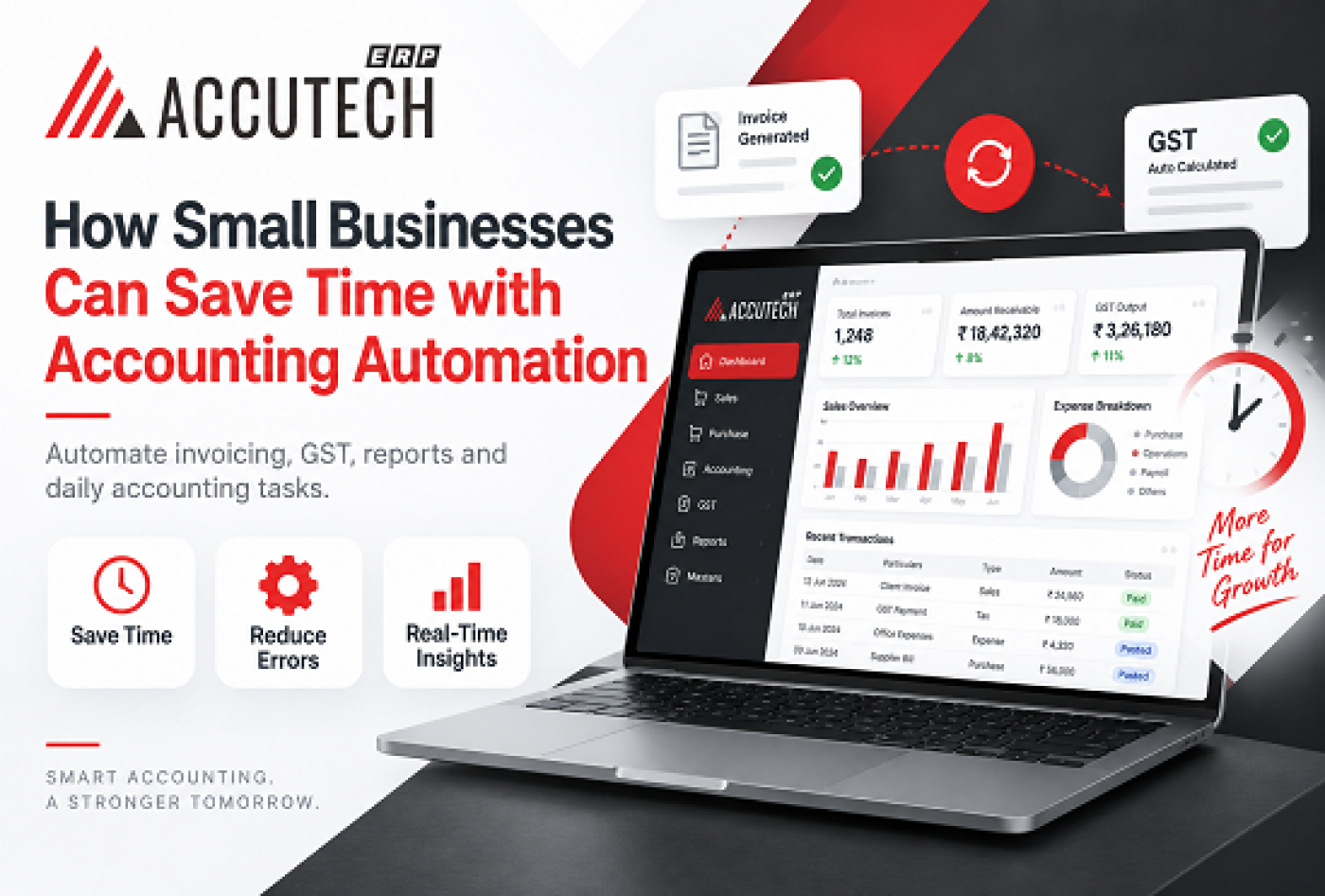
How Small Businesses Can Save Time with Accounting Automation
Running a small business means juggling a hundred different tasks and accounting often ends up being the most time-consuming burden. Between managing invoices, tracking expenses, calculating GST, preparing financial reports, and maintaining compliance, many small business owners find themselves spending endless hours buried in spreadsheets instead of focusing on what they do best: growing their business.
But what if there was a way to reclaim all that lost time?
The answer lies in accounting automation specifically, leveraging the best advance accounting ERP software designed for small businesses. Modern accounting solutions have evolved far beyond basic bookkeeping tools. Today's enterprise resource planning (ERP) systems automate complex financial processes, eliminate manual data entry, ensure regulatory compliance automatically, and provide real-time insights into your business finances.
In this comprehensive guide, we'll explore how small businesses can leverage accounting automation to save significant time, reduce errors, improve compliance, and make faster business decisions. Whether you're a startup, a growing mid-sized business, or an established SME, you'll discover practical strategies for implementing accounting automation that actually works.
Understanding Accounting Automation: What It Really Means
What Is Accounting Automation?
Accounting automation refers to using technology specifically software systems like enterprise resource planning (ERP) platforms to handle repetitive, manual accounting tasks automatically. Instead of an accountant spending hours entering data into spreadsheets, reconciling accounts, or preparing reports, automated systems handle these tasks seamlessly and instantaneously.
Think of it as the difference between filing taxes manually and using tax software. The software guides you through the process, captures the right information, and calculates everything automatically, reducing the possibility of errors and saving tremendous amounts of time.
The best advance accounting ERP software takes this concept further by integrating accounting with other business functions product management, transaction processing, inventory tracking, and compliance reporting creating a unified ecosystem where data flows automatically between systems without manual intervention.
Why Small Businesses Need Accounting Automation
Small business owners and accountants typically spend 30-40% of their time on administrative accounting tasks. This includes:
- Manual data entry from invoices and receipts into accounting software
- Reconciliation between different systems and bank statements
- GST calculation and filing for regulatory compliance
- Expense categorization and allocation
- Report generation and financial analysis
- Audit preparation and documentation
- Invoice tracking and payment follow-ups
These tasks are essential but don't add strategic value. Accounting automation frees up your team to focus on financial analysis, business strategy, and growth initiatives.
The Time-Saving Benefits of Advance Accounting Software
Quantifying Time Savings
When small businesses implement the best advance accounting ERP software, the time savings are dramatic and measurable:
Task | Manual Time | Automated Time | Time Saved |
GST reconciliation & filing | 20+ hours | 2-3 hours | 17-18 hours |
Invoice processing & entry | 12-15 hours | 1-2 hours | 11-13 hours |
Bank reconciliation | 8-10 hours | 30 minutes | 7.5-9.5 hours |
Financial report generation | 6-8 hours | 15 minutes | 5.75-7.75 hours |
Expense categorization | 10-12 hours | 1 hour | 9-11 hours |
TOTAL MONTHLY SAVINGS | 71-85 hours | 8-10.5 hours | 60.5-74.5 hours |
This translates to saving 8-10 full working days per month essentially an extra employee worth of productivity without the hiring cost.
Real-World Scenario: Time Savings in Action
Consider Rajesh's printing business in Bangalore. He was spending approximately 30 hours weekly on accounting tasks:
- Monday-Tuesday: Processing 200-300 invoices from suppliers and customers
- Wednesday: Reconciling bank statements with accounting records
- Thursday: Calculating GST liabilities and preparing documentation
- Friday: Generating financial reports for analysis
After implementing a small business cloud accounting software india solution:
- Invoice processing is now automated (uploaded documents are auto-categorized)
- Bank reconciliation happens daily with 95% automation
- GST calculations occur in real-time as transactions are recorded
- Financial reports are available on-demand in seconds
Result: Rajesh now spends just 5-6 hours on accounting weekly, freeing up 24 hours for customer development and business strategy.
Key Features of Best Advance Accounting ERP Software for Small Businesses
Essential Features for Automation
The best advance accounting ERP software designed specifically for small businesses should include these automation-focused features:
Automated Transaction Processing
This is the cornerstone of accounting automation. The software should:
- Automatically capture invoice data (from scans or email attachments)
- Intelligently categorize transactions based on historical patterns
- Validate data against rules and flag anomalies
- Create ledger entries without manual intervention
- Track sales, purchases, and returns automatically
When you upload a supplier invoice to your system, it should automatically extract the vendor name, invoice number, amount, GST, and line items then post this to the correct accounts in your ledger. No manual data entry needed.
Real-Time Multi-Entity Support
For growing businesses, advance accounting software should seamlessly manage:
- Multiple business entities (if you operate as separate legal entities)
- Multiple branches across different locations
- Different GST registration numbers
- Separate financial books while maintaining consolidated reporting
- Intercompany transaction tracking
This feature eliminates the complexity of managing multiple accounting systems and the reconciliation nightmares that come with it.
Integrated GST Compliance Automation
India-specific compliance is crucial. The software should:
- Automatically calculate GST on every transaction (SGST/CGST, IGST, UT GST)
- Handle reverse charge mechanisms
- Track input tax credits automatically
- Generate GSTR1, GSTR2A, GSTR2B, and GSTR3B in compliance-ready format
- Identify discrepancies between your records and GSTR-2A automatically
- Flag high-risk transactions that might trigger GST audits
This transforms GST filing from a weeks-long, error-prone process into a matter of minutes.
Automated Reconciliation
Bank and GST reconciliation are historically time-consuming. The erp accounting software in india should:
- Match bank transactions to accounting records automatically
- Identify and flag unmatched items for investigation
- Suggest corrections for discrepancies
- Track outstanding cheques and pending transactions
- Reconcile supplier statements against your purchase records
- Reconcile customer statements against your sales records
What once took days now takes minutes, with higher accuracy.
How Small Business Cloud Accounting Software Works
The Workflow Automation Advantage
When you use a small business cloud accounting software india platform, here's how the typical workflow becomes automated:
Traditional Process (8+ hours):
- Receive invoice via email or paper
- Manually enter vendor details, amounts, dates into system
- Upload attachments for record-keeping
- Categorize expense manually
- Create ledger entry
- Update vendor statement
- File invoice electronically
- Track payment status
- Generate report for analysis
Automated Cloud Software Process (20 minutes):
- Forward invoice to software email address
- System extracts all data automatically
- Software suggests category based on vendor history
- Automatic ledger entry creation
- Payment reminder set automatically
- Data instantly available for reporting
Cloud-Based Infrastructure Benefits
Modern advance accounting software operates on cloud infrastructure, which means:
- 24/7 Accessibility: Access your accounts from anywhere, anytime
- Automatic Updates: Software updates happen without your intervention
- Unlimited Scalability: Add new users or features without infrastructure changes
- Data Security: Multiple layers of encryption and backup systems
- Audit Trails: Complete tracking of who accessed or changed data and when
Integration with Other Business Systems
The best systems integrate with:
- Banking systems: For automated bank feed and transaction reconciliation
- Payment gateways: For automatic transaction recording
- Inventory systems: For automatic stock and COGS tracking
- CRM platforms: For unified customer financial data
- Tax filing systems: For simplified GST compliance
This integration eliminates the need for manual data transfer between systems, which is both time-consuming and error-prone.
Automating GST Compliance: A Game-Changer for Indian Businesses
The GST Compliance Challenge
For Indian small businesses, GST compliance is perhaps the most complex and time-consuming accounting requirement:
- Complex tax rates (5%, 12%, 18%, 28%) based on product classification
- Input tax credit (ITC) calculations and eligibility rules
- Interstate transactions with IGST implications
- Reverse charge mechanisms for certain transactions
- Monthly filing deadlines with penalties for late/incorrect filing
- Constant regulatory updates and compliance changes
Most small business owners spend 20+ hours monthly just on GST-related tasks, and errors can attract penalties and interest.
How Advance Accounting ERP Software Automates GST
Automatic Tax Calculation:
The best advance accounting ERP software applies the correct GST rate to every transaction based on:
- Product or service classification (HSN/SAC codes)
- Customer location (for IGST vs SGST/CGST)
- Type of transaction (regular, exempted, reverse charge)
No manual intervention needed. The system knows the rules and applies them consistently.
Real-Time ITC Tracking:
The software automatically tracks which taxes are eligible for input credit and maintains reconciliation with GSTR-2A data. This prevents:
- Incorrect ITC claims (which attract penalties)
- Missed ITC opportunities
- Discrepancies between your records and tax authority records
Automatic GSTR Filing Preparation:
The system generates complete, compliance-ready GSTR forms:
- GSTR-1 (outward supplies): Automatically compiled from your sales invoices
- GSTR-2B (inbound supplies): Your purchases with available ITC
- GSTR-3B (monthly return): Consolidated tax position with payment calculation
What normally requires pulling data from multiple sources, cross-referencing, and manual compilation now happens automatically.
Time and Money Impact of GST Automation
Time Savings:
- Manual GST filing: 20+ hours monthly
- Automated filing: 2-3 hours monthly
- Monthly savings: 17-18 hours per month
- Annual savings: 200+ hours (equivalent to a full-time employee)
Compliance Risk Reduction:
- GST penalty for late filing: ₹100-₹500 per day
- GST penalties for wrong ITC claims: 25% of tax amount + interest
- Automation reduces error probability from 15-20% to less than 1%
Real-Time Reporting and Financial Visibility
The Power of Real-Time Data
Traditional accounting works on a post-transaction basis. You record transactions after they occur, then spend time compiling reports. By the time you have comprehensive financial reports, days or weeks have passed.
With the best advance accounting ERP software, reporting is real-time and on-demand:
Aspect | Traditional | Real-Time Advance ERP |
Report availability | Monthly | Real-time (24/7) |
Data currency | 1-4 weeks old | Current as of last transaction |
Decision latency | Weeks | Minutes |
Custom reports | Days to create | Minutes to create |
Mobile access | Not available | Full mobile access |
Reports Available Instantly
With advance accounting software, you can generate reports instantly for:
Daily Operations:
- Daily cash summary
- Outstanding invoice analysis
- Inventory status
- Bank account balance and transactions
Strategic Analysis:
- Customer profitability analysis
- Product-wise margin analysis
- Supplier cost analysis
- Cash flow forecasting
- Seasonal trend analysis
Reducing Errors and Improving Accuracy
The Error Epidemic in Manual Accounting
Manual accounting processes have inherent limitations:
- Transcription errors: Typing invoices into the system introduces 2-3% error rate
- Categorization errors: Misclassifying expenses affects tax calculations
- Reconciliation errors: Matching thousands of transactions manually is error-prone
- Consistency errors: Different people entering data use different standards
- Lookup errors: Incorrect account codes or mismatched information
A typical small business handles 300-500 transactions monthly. With a 2-3% error rate, that's 6-15 errors monthly compounding compliance risks and decision-making inaccuracies.
Impact on Accuracy Metrics
Metric | Manual Accounting | Automated With ERP |
Error Rates | 2-3% | <0.1% |
Reconciliation Accuracy | 85-90% | >99% |
GST Filing Accuracy | 10-15% discrepancy | <1% discrepancy |
Cost-Benefit Analysis: ROI of Accounting Automation
Implementation and Operating Costs
When considering the erp accounting software in india, account for these costs:
Initial Investment:
- Software licensing (cloud-based): ₹1,000-₹5,000/month depending on transaction volume
- Implementation and setup: ₹10,000-₹50,000 (one-time)
- Data migration from existing systems: ₹5,000-₹20,000 (one-time)
- Team training: ₹2,000-₹10,000 (one-time)
- Total first-year cost: ₹30,000-₹130,000
Annual Operating Costs:
- Monthly subscription: ₹12,000-₹60,000/year
- Occasional support/consulting: ₹5,000-₹15,000/year
- Total annual cost: ₹17,000-₹75,000
Quantifiable Benefits and ROI
Labor Cost Savings:
- Hours saved monthly: 60-75 hours
- Loaded hourly cost (salary + benefits): ₹300-₹500/hour
- Monthly savings: ₹18,000-₹37,500
- Annual savings: ₹216,000-₹450,000
Error and Compliance Reduction:
- GST penalties avoided: ₹50,000-₹200,000/year
- Interest on late tax payments avoided: ₹30,000-₹100,000/year
- Audit cost reduction: ₹20,000-₹50,000/year
- Total compliance savings: ₹100,000-₹350,000/year
Improved Working Capital:
- Faster invoice collection (1-2 days earlier): ₹50,000-₹200,000 (cash flow improvement)
- Better inventory management: ₹30,000-₹100,000 (reduced carrying costs)
- Optimized payment timing: ₹20,000-₹50,000 (better cash position)
ROI Calculation Example
For a small business with ₹50 lakh annual revenue:
Costs:
- First-year total: ₹80,000
- Subsequent years: ₹45,000/year
Benefits (Year 1):
- Labor savings: ₹300,000
- Compliance risk reduction: ₹200,000
- Working capital improvement: ₹80,000
- Total first-year benefits: ₹580,000
ROI:
- First-year ROI: 725% (₹580,000 benefit / ₹80,000 cost)
- Payback period: 1-2 months
- Ongoing annual ROI: 1,189% (₹535,000 benefit / ₹45,000 cost)
Even with conservative estimates, implementing accounting automation provides exceptional returns within the first few months.
Implementation Best Practices
Planning Your Accounting Automation Implementation
Phase 1: Assessment and Planning (2-3 weeks)
- Audit Current Processes:
- Document every accounting task your team performs
- Measure time spent on each activity
- Identify pain points and error-prone areas
- Understand current data flows and systems
- Define Requirements:
- What automation would have highest impact?
- What integrations are essential?
- What compliance requirements must be met?
- What reporting is critical for decision-making?
Phase 2: Implementation (4-8 weeks)
- Data Migration:
- Extract historical data from existing systems
- Cleanse and validate data
- Map old account codes to new system structure
- Set opening balances accurately
- System Configuration:
- Set up your business entities and branches
- Create account structure matching your needs
- Configure product categories with HSN codes
- Set up customer and supplier master data
Phase 3: User Training (2-3 weeks)
Focus on role-based training tailored to different user types:
- Accounting staff training on daily operations
- Manager training on reporting and analytics
- Hands-on practice with test data
Phase 4: Go-Live and Stabilization (4-6 weeks)
- Run old and new systems simultaneously initially
- Monitor system performance and error rates
- Optimize workflows based on actual usage
Total Timeline: 12-20 weeks
Common Mistakes to Avoid
Implementation Mistakes
Mistake 1: Inadequate Data Preparation
Many businesses rush into implementation with messy historical data, causing incorrect opening balances and reconciliation failures.
Fix: Spend 2-4 weeks cleaning and validating data before migration.
Mistake 2: Insufficient User Training
Users trained inadequately make mistakes that defeat the purpose of automation, including transaction misclassification and process bypassing.
Fix: Invest in comprehensive training (20-30 hours per user) with follow-up training 30 days post-go-live.
Mistake 3: Customizing Too Aggressively
Extensive customization of the erp accounting software in india increases implementation time, reduces reliability, and creates consultant dependencies.
Fix: Start with standard configuration aligned to best practices. Customize only if absolutely necessary.
Operational Mistakes
Mistake 4: Not Utilizing Real-Time Reporting
Many businesses implement automation but continue monthly accounting cycles, missing the real-time benefit.
Fix: Shift to real-time monitoring with daily review of key metrics.
Mistake 5: Ignoring Audit Trail and Compliance Features
The erp accounting software in india has robust compliance features that users often ignore, missing out on built-in protections.
Fix: Activate all compliance features and establish approval workflows immediately.
Frequently Asked Questions
Q1: What is the difference between accounting software and accounting ERP?
Accounting software focuses solely on financial transactions. Accounting ERP integrates accounting with product management, customer/supplier management, multi-entity support, advanced compliance features, and workflow automation. ERP provides a unified ecosystem where your accounting connects to entire business operations.
Q2: Can small businesses really afford ERP software?
Absolutely. Modern cloud-based small business cloud accounting software india solutions are specifically designed for affordability with pay-as-you-go monthly pricing (₹1,000-₹5,000/month), no expensive server infrastructure, and ROI within 1-2 months through labor and compliance savings.
Q3: How long does implementation typically take?
For a typical small business, expect 12-20 weeks total: Assessment (2-3 weeks), Implementation (4-8 weeks), Training (2-3 weeks), and Go-live/Stabilization (4-6 weeks). This timeline can be accelerated with dedicated resources.
Q4: How secure is cloud-based accounting software?
Modern cloud accounting solutions have security superior to on-premise systems with data encryption (AES-256), multiple data centers with automatic failover, continuous automated backups, role-based access controls, multi-factor authentication, and SOC 2/ISO 27001 compliance.
Q5: What about GST compliance with accounting automation?
This is critical for Indian businesses. The erp accounting software in india ensures GST compliance through automatic tax calculations, real-time ITC tracking, automatic GSTR form generation, and discrepancy identification. GST compliance that previously required 20+ hours monthly now takes 2-3 hours.
Q6: Can the software handle multiple business entities?
Yes. This is a key feature of enterprise-level advance accounting software. You can maintain separate books for each entity, manage different GST registrations, track intercompany transactions, generate consolidated reports, and allocate shared expenses automatically.
Q7: How does accounting automation affect audit processes?
Automation actually makes audits easier and faster with automated audit trail documentation, reduced sample size testing, faster discrepancy resolution, better documentation, and significantly reduced audit costs (from 40-50 hours to 20-25 hours).
Q8: What's the learning curve for accounting staff?
Modern small business cloud accounting software india platforms are designed for ease of use with intuitive interfaces, guided workflows, context-sensitive help, and mobile apps. Most accounting staff become productive within 2-4 weeks, with full proficiency within 2-3 months.
Q9: Can the system integrate with our existing tools?
Quality accounting software integrates with banking systems, payment gateways, inventory management, CRM platforms, GST portal, email systems, and offers API integrations for custom connections. Confirm specific integrations before choosing software.
Q10: What happens to accounting staff when we automate?
Automation evolves accounting roles rather than eliminating them. Routine tasks like data entry are eliminated, allowing staff to focus on financial analysis, business planning, and compliance management higher-value, better-compensated roles.
Conclusion:
Accounting automation can help small businesses save valuable time, reduce manual errors, simplify GST compliance, and gain better control over financial operations. By using advanced accounting solutions, businesses can automate routine processes, access real-time reports, and make faster, more informed decisions.
With the right ERP system, small businesses can improve efficiency without increasing administrative workload. Accutech ERP helps businesses streamline accounting, GST management, reporting, inventory, and other essential operations through one integrated platform.
For businesses looking to reduce repetitive accounting work and build a more efficient financial system, adopting a reliable ERP solution like Accutech ERP can support smoother operations and long-term business growth.